Stop building things no one hears about.
Sailbit keeps build and distribution honest per product — and pulls you back the moment the week tips too far into building.
Manual-first. Sailbit shows the honest picture — you set the course.
Post the launch thread
You're heavy on build this week. One distribution task pulls the balance back.
The real problem
Generic task apps don't know which product deserves your next hour.
Pick your focus
Sail one or two. Let the rest cruise.
You can't sail every product at once. Sailbit keeps you to the one or two you're actively pushing — the rest stay on autopilot or parked, without guilt.
See it in action
Built to show one thing at a time.
The real surfaces — Now, Products, and Tasks — pulling in the same direction.
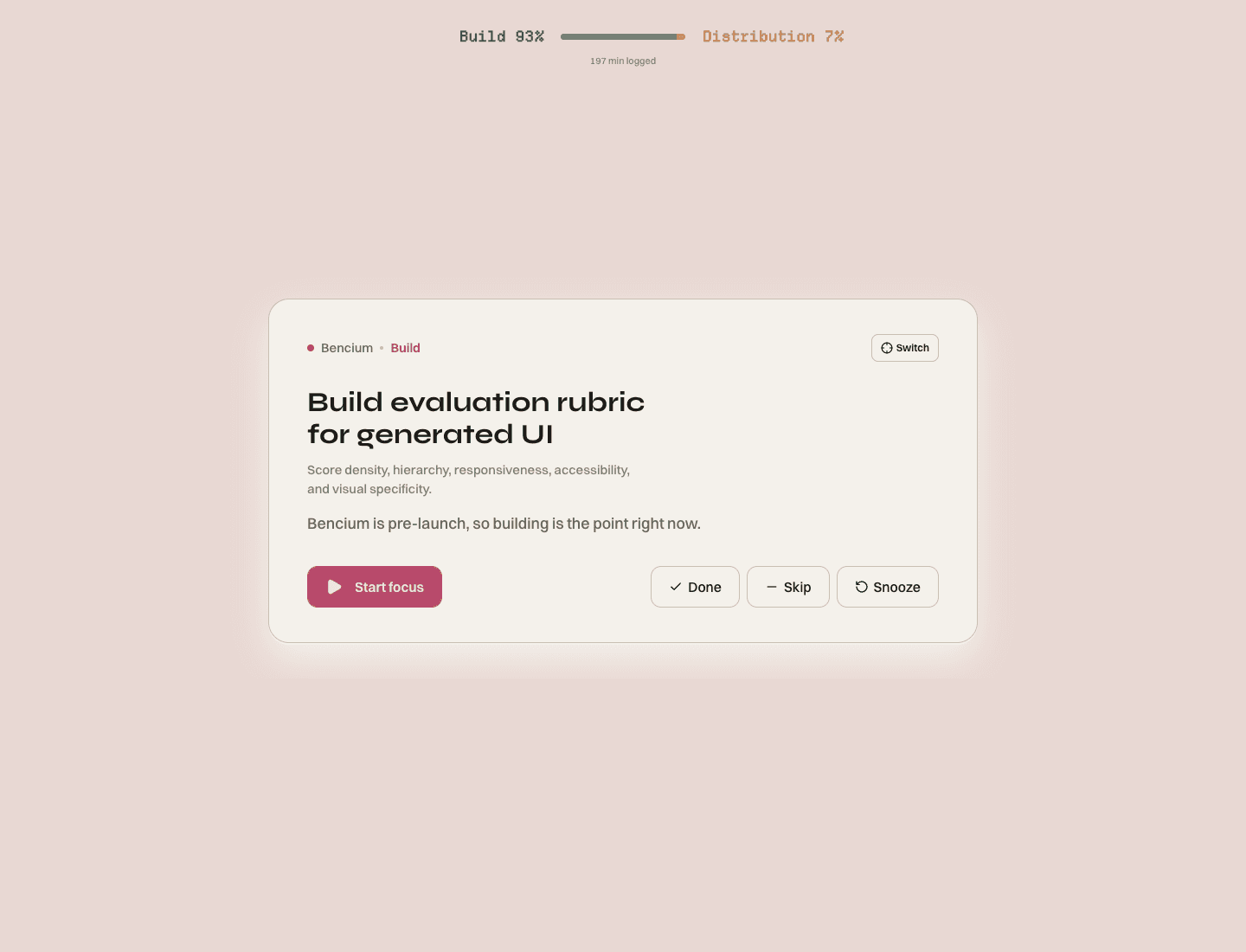
Now
Open Now. One task, with the wind behind it.
Sailbit shows the task, product, work type, and reason so you can start without rebuilding the whole plan in your head.
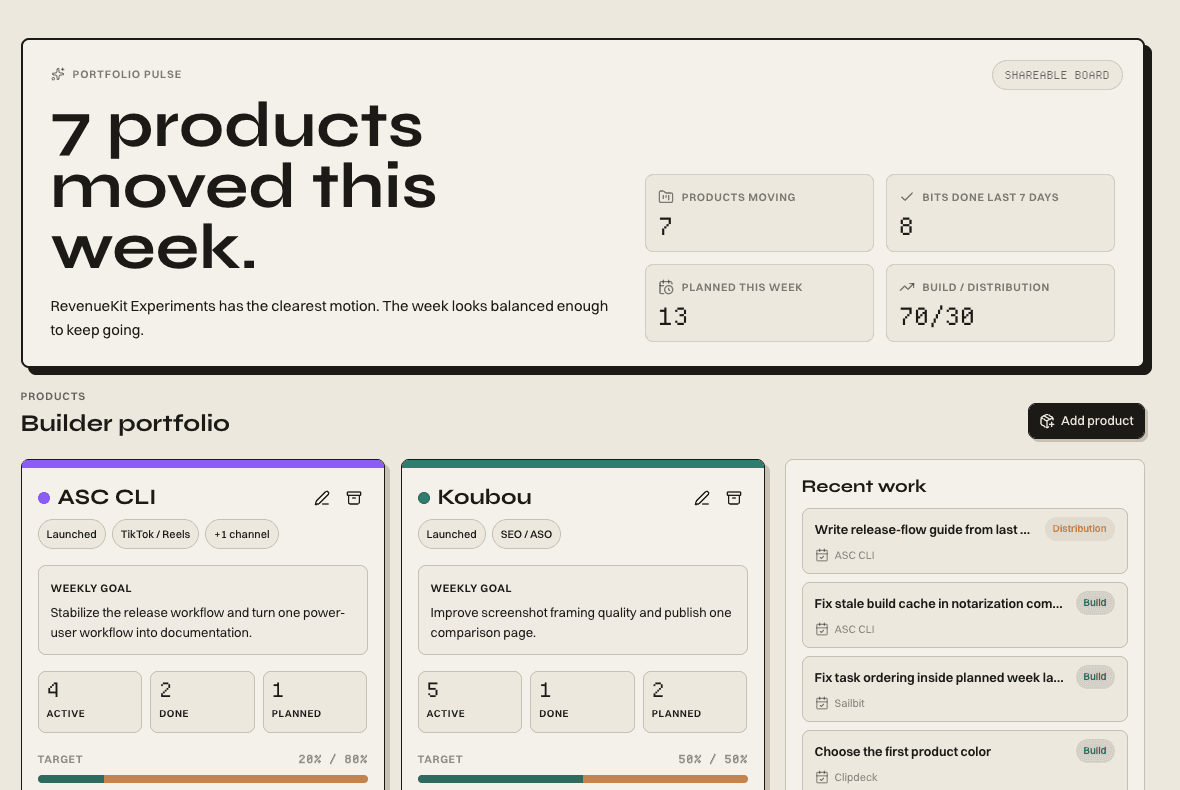
Products
Each product gets its own plan. No mixing.
Track launch stage, channel, active work, and build/distribution balance where the product lives.
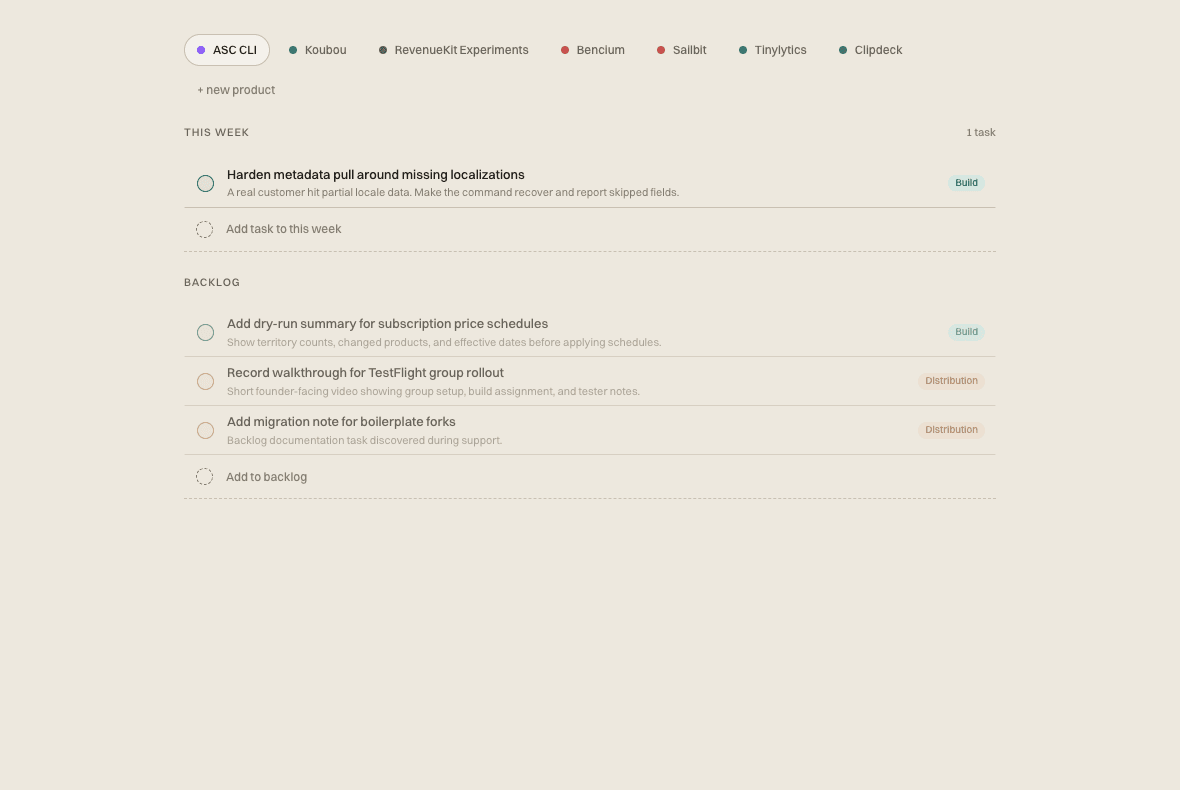
Tasks
Capture it all. Now still shows one thing.
Tasks stay sorted by product and type. Now stays pointed at the single next action.
How it works
Six steps. One clear next move.
A small loop: capture fast, assign, classify, plan the week, work from Now, and review calmly.
01
Capture fast
02
Assign product
03
Classify work
04
Plan the week
05
Work from Now
06
Review calmly
AI advice, hands off the wheel.
Sailbit can classify, shrink, explain, and suggest. You still set the course — what gets planned, what gets done.
Create your workspaceShortcut-first
Every move has a key.
Built for people who live in VS Code and Linear. ⌘K finds anything. ? shows the rest.
Command palette
Capture task
Go to Now
Mark done
Peek preview
Shortcut reference
Agent access
Run Sailbit from your AI agent.
Connect Claude Code, Claude Desktop, or Cursor over MCP. Capture work, ask what's next, and close the loop — without leaving your terminal.
Pricing
Pick the pace that keeps you moving.
Go month to month, or pick yearly for the better deal. Both start with a 7-day trial.
Prices are pulled from the active Sailbit Pro Stripe product: $6.99 monthly or $59 yearly. Checkout starts after signup.
Start with one task
Turn the noisy backlog into this week's next move.
Stop triaging a backlog that thinks everything's urgent. Set the sail and start with one honest next move.